Connect your AI app
If you already work with an AI app, Claude or ChatGPT for example, you can connect it to VersFlow. It then reads your songs, hooks and projects and changes them when you ask it to: "Which songs are still in progress?", "Put the lyrics we just reworked into the song", "Put the EP's songs in this order".
VersFlow writes nothing on its own. It stores exactly what your AI app sends. What the app writes is up to you and it.
How to connect an app
You need an account.
- In Claude: Settings → Connectors → Add custom connector, with the address
https://versflow.de/mcp. In ChatGPT: Settings → Apps & Connectors → Create connector, with the same address. - The app sends you to VersFlow. Sign in as usual, with the code from the mail or with Google.
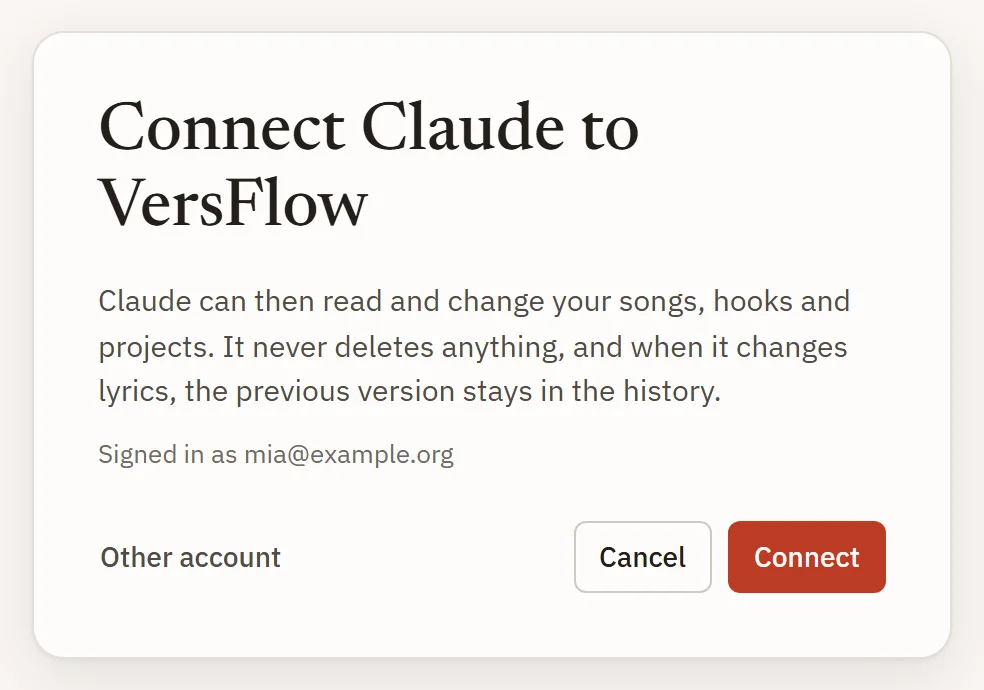
- You see which app is asking and what it may do. Click Connect, and you're back in your app. If you're signed in with the wrong account, switch with Other account and then start connecting in the app again.
What the app may do, and what not
- Read: your songs with all their variants and their sketches, hooks, projects, and the history entries kept in your account.
- Change: a song's title, status, notes, tags, styles, lyrics and cover, a project's track order and cover; create songs, hooks and projects.
- Add: a new variant beside the original, lines in a song's sketches and links on songs and hooks. Ask your AI app to put its line ideas into your sketches: your lyrics stay as they are, and you take what fits.
- Count and find rhymes: it can ask VersFlow how many syllables a line has, which lines rhyme and which rhymes there are for a word. VersFlow answers that itself, without AI, as in the editor.
- Never delete. To clean up, the app tags the candidates and you delete in VersFlow.
- Never anything shared: songs others share with you stay out of it.
Every lyrics change is in the history
When your AI app changes lyrics, the song's history has two entries afterwards: Before AI edit with the previous version and Changed with AI with the new one. If you don't like the change, just bring the previous version back.
Ending a connection
In Settings, under Account → Connected AI apps, every app you connected is listed with the day you connected it and when it last asked for something. The ✕ beside it ends the connection; its next attempt is refused.


A connection unused for 90 days ends on its own. Deleting your account ends all of them.
Limits
An app can make 60 requests a minute and 2000 a day. That's plenty for a long writing session. Beyond that, VersFlow tells the app to ask again later.