Sketches
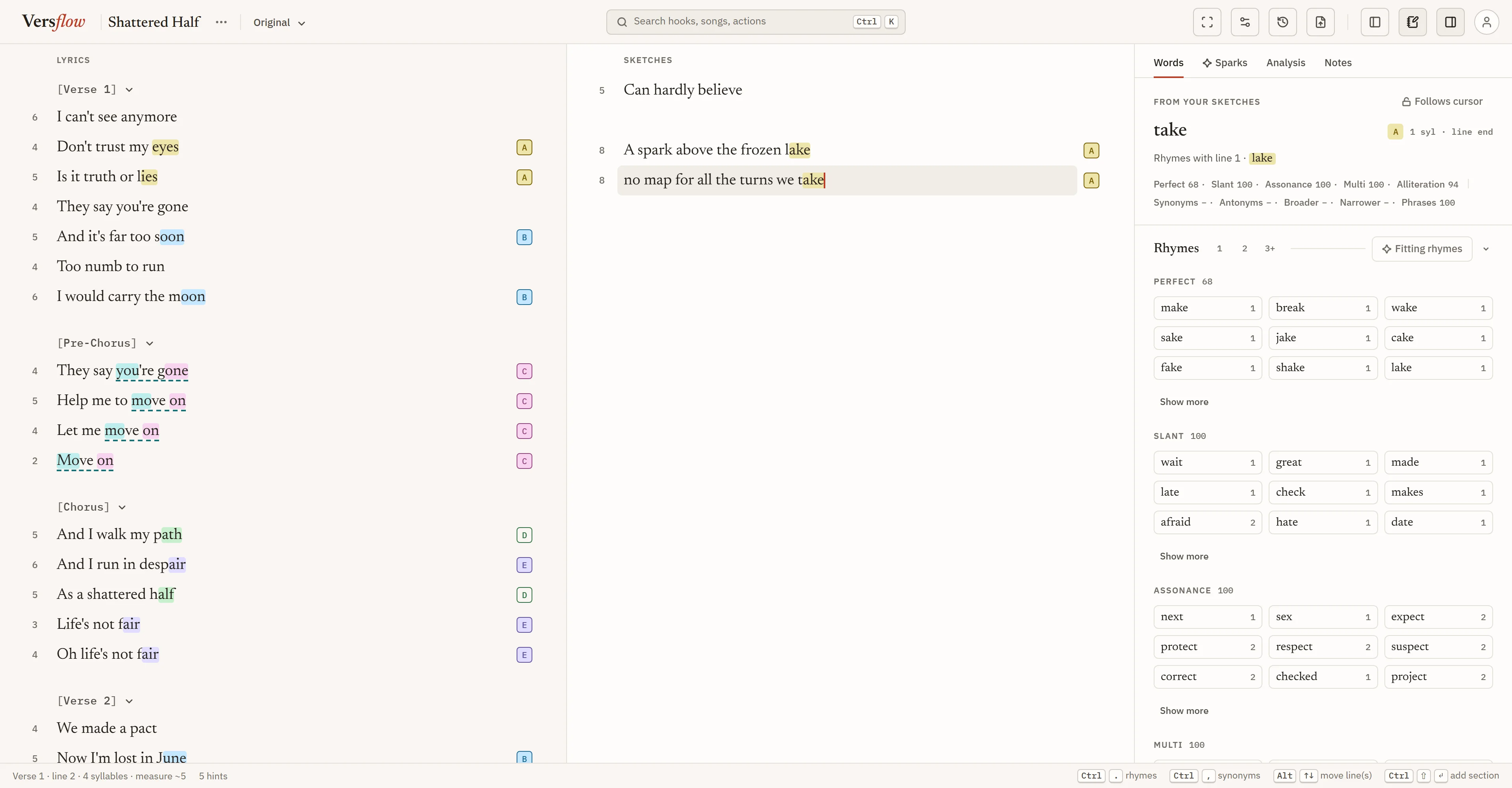
Many writers work with two sheets: the lyrics on one, everything that comes up along the way on the other. A word you like, a line that sounds right, a part that has no place yet. That's what Sketches are: a second sheet beside your lyrics.
Opening your sketches
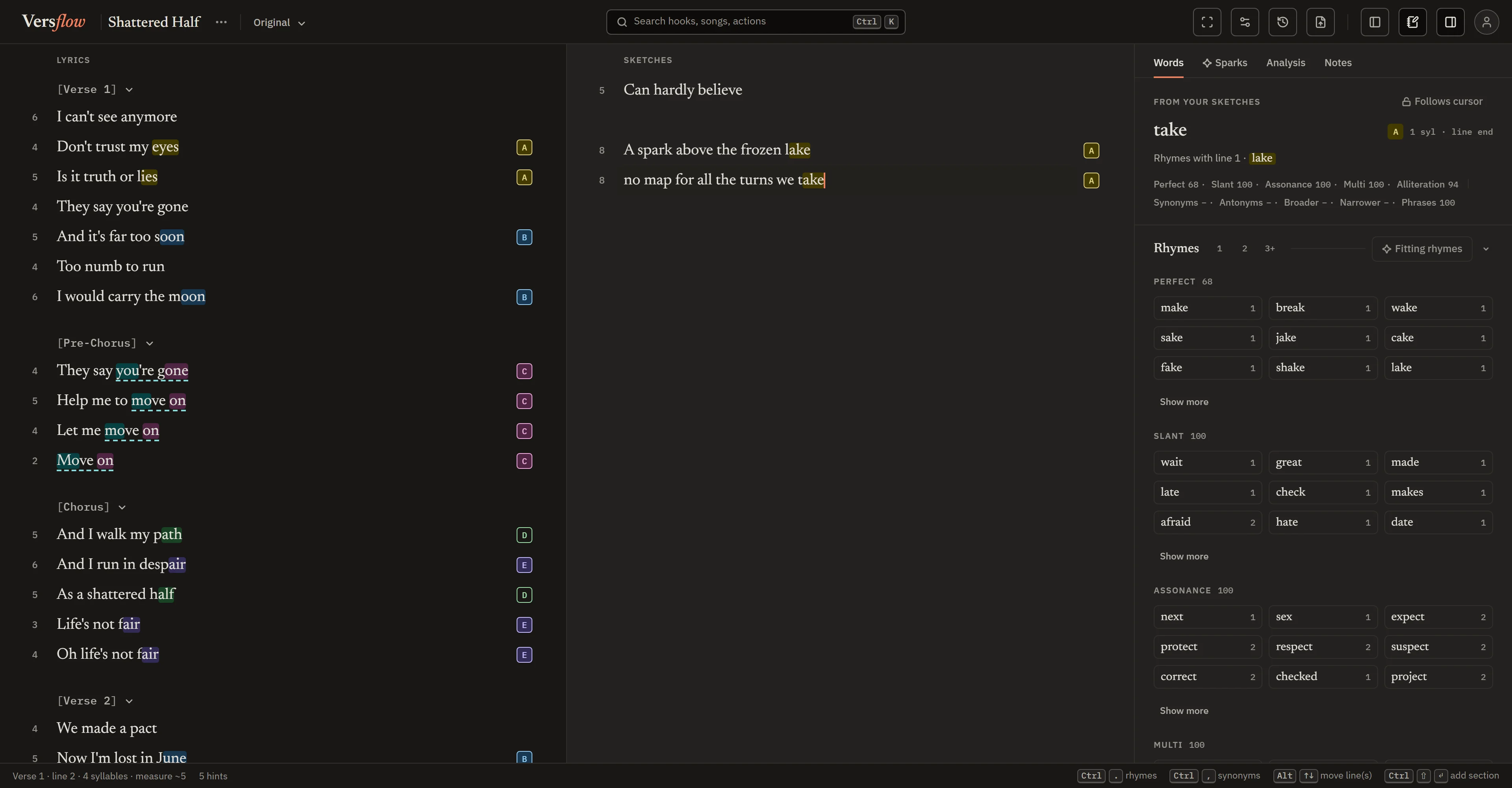
Click the notebook at the top right or press Ctrl + Alt + N. Your sketches appear as a column beside the lyrics, with the cursor in them. The same key or Esc takes you back to the lyrics. The notebook hides the column again.
When the window is too narrow for two sheets, the tabs Lyrics · Sketches sit above the text and you switch between them; the notebook then opens your sketches right away. On a phone the tabs are always there.
What sketches do
- Every line shows its syllables, and within a paragraph you see rhymes as in the lyrics. A blank line separates paragraphs, so two ideas that have nothing to do with each other don't rhyme with each other.
- The Words panel follows the cursor here too, with "From your sketches" above the word. Ctrl + . brings up rhymes at the line.
- Sections work as in the lyrics: Ctrl + ⇧ + ↵ adds one, ⌄ on its head changes it. They get their numbers only in the lyrics (
[Verse]becomes[Verse 2]there), and the outline shows the song alone. - Sketches belong to the song: every variant shows the same ones.
- What you click in Sparks, an image, a question, a word, then sits at the top of your sketches. The finds of one search gather in one paragraph. Once you reword one, it's yours, and its chip in Sparks is empty again.
Moving lines back and forth
- Put the cursor in a line of your lyrics that should go, or select several.
- Press Alt + →. The lines now sit at the top of your sketches, as a paragraph of their own.
- Alt + ← in the lyrics brings the top paragraph back, below the line with the cursor.
With the cursor on a section head like [Chorus], the whole section moves. In your sketches a [Verse 2] loses its number; back in the lyrics it gets it again.
In your sketches, Alt + ← moves the line with the cursor into the lyrics, below the line where you last were there. With the mouse, take a line by its grip on the left and drag it into the other sheet, right where you let go. One Ctrl + Z undoes any move in both sheets.
On a phone, tap → Sketches at the bottom of the lyrics, and ← Lyrics in your sketches. Both sit at the left end of the bar, in the same spot.
Good to know
- Sketches are in no export, and VersFlow's AI doesn't read them. A connected AI app can read them and put lines into them, never into your lyrics.
- If you typed in the other sheet after a move, Ctrl + Z only undoes the sheet you're in. The line then stands in both, and you delete the one you don't need.
- Lines you parked before are at the top of your sketches, each as a paragraph of its own. So is what you kept in Sparks before, one paragraph per group and word.
- In a shared song you write the same sketches live: what the other person types appears for you letter by letter, and a thin line in their colour shows where they are. Their name stands beside it, and both go when they close the app. Write in the same line together and every letter of both of you stays.